 LubDub
Every student hears the same heartbeat.
LubDub is a wireless auscultation system for cardiopulmonary simulators. The simulator's sounds go out as one broadcast, and every learner listens through their own earpieces at their own volume.
Classroom Bundle: transmitter, 10 headsets, 5 docks
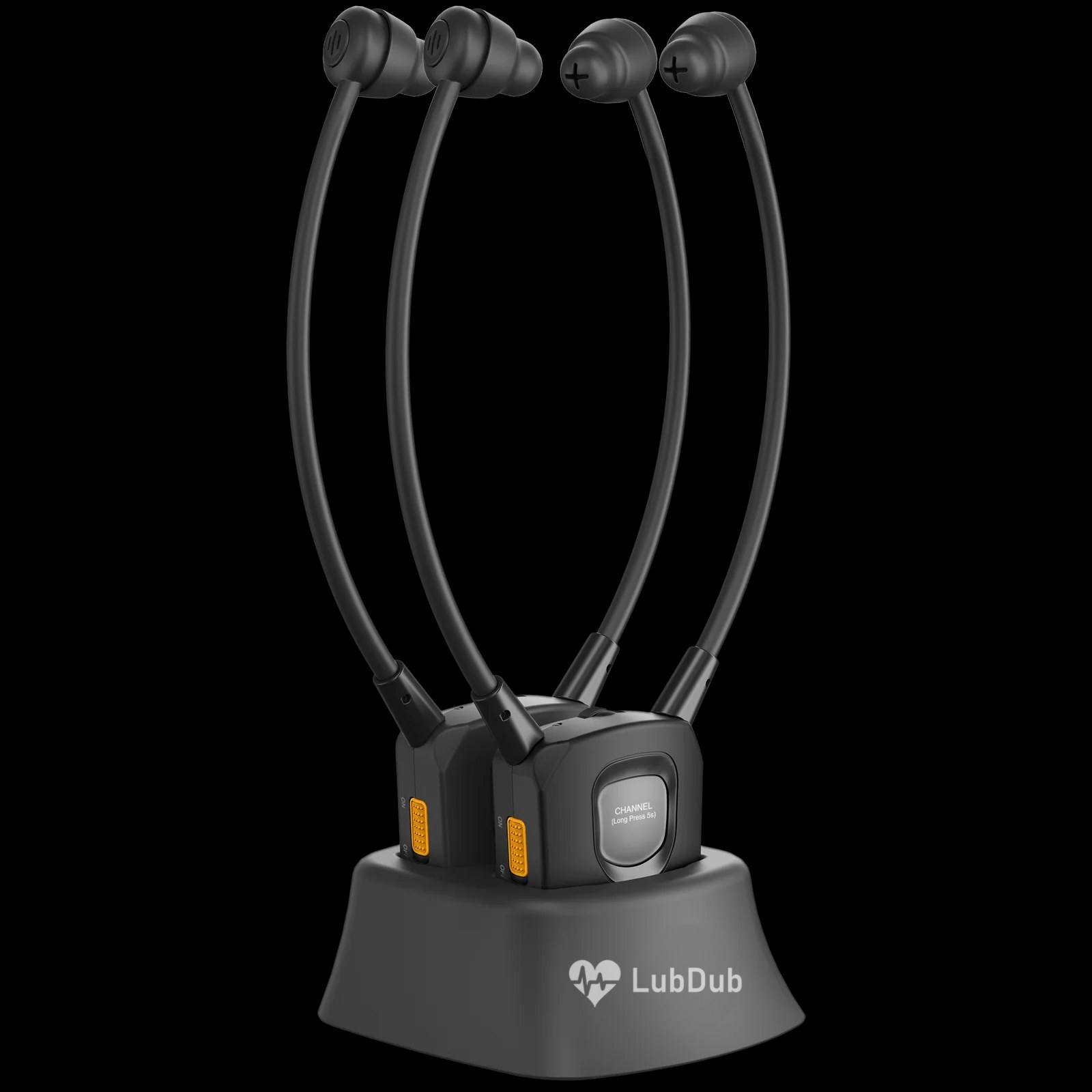
Tuned for what a simulator actually plays.
Heart sounds sit low. S1, S2, gallops and many murmurs live where ordinary earbuds and room speakers lose them, and breath sounds turn thin when a simulator's speaker is turned up for a crowd.
LubDub headsets ship with an audio profile tuned for simulator playback, so low heart sounds stay full and crackles and wheezes stay distinct. Students hear the case the way the instructor programmed it, not the way the room bounced it back.
How it connects
The LubDub Transmitter turns any audio source into an Auracast broadcast, the broadcast form of Bluetooth LE Audio. Every headset in range hears it.
-
Connect the transmitter
Cable it to the simulator's headphone or line output, or pair a laptop, tablet or phone over Bluetooth.
-
Switch the headsets on
Lift them from the dock and slide the power switch. Each headset finds the broadcast and starts playing. There is nothing to pair.
-
Set volume and balance
Each listener sets their own volume and left/right balance. Nobody else's level changes.
What's in each headset
- Independent volume
- A volume wheel on every headset. The student who needs it louder doesn't make it louder for anyone else.
- Left/right balance
- A balance dial shifts sound between ears, for listeners with uneven hearing or anyone who wants to favor one side.
- No pairing
- Power on and it plays. Headsets join the broadcast automatically, so a session starts as soon as students put them on.
- Channel button
- Hold the channel button for 5 seconds to move to another broadcast. Run several stations in one lab, each on its own transmitter.
- Stethoscope-style fit
- Earpieces on flexible arms that rest under the chin, so it wears like the stethoscope students already know.
- Charging docks
- Two headsets charge and store in each dock, ready for the next session.
- Room for the whole class
- There's no listener limit on a broadcast. Add headsets to the same transmitter as your cohort grows.
- More than the simulator
- Stream heart and lung sound libraries, lecture audio or video from your own laptop or phone through the transmitter.
Where it's used
- Simulation labs. A whole group listens to one manikin during a scenario debrief.
- Skills and OSCE stations. Each station broadcasts its own case without sound leaking between them.
- Lectures and demos. Play murmurs to a lecture hall without turning up the room speakers.
- Self-study. Review recorded sounds from your own devices at your own pace.
Build your LubDub setup
Volume pricingQuestions
Will it work with my simulator?
If your simulator or its control computer has a headphone or line output, yes. Cable it to the LubDub Transmitter and every headset picks it up.
Do I need the LubDub Transmitter?
You need an Auracast transmitter. The LubDub Transmitter is included in the Classroom Bundle and sold on its own. LubDub headsets also work with other Auracast transmitters you may already own.
Can students use their own phones or laptops?
Yes, through the transmitter. Pair the device with the LubDub Transmitter over Bluetooth and its audio goes out to every headset. The headsets themselves don't pair directly with phones.
How many students can listen at once?
Any number of headsets can join the same broadcast. The transmitter reaches up to 150 m line of sight.
Can two stations in the same room run different cases?
Yes. Give each station its own transmitter, then hold the channel button for 5 seconds on a headset to move it to the other station's broadcast.
Why buy the bundle instead of separate pieces?
The Classroom Bundle costs less than its parts bought separately, and its ten headsets count toward volume pricing if you add more.